Hi there,
I found the event importer (fantastic!) and I had it working for a while. It seems it only works for importing to a group, and not a user?
In any case, i tried to clean up some profiles and managed to lock myself out. After restoring the server to an earlier backup i get an error when I try to add the imports again.
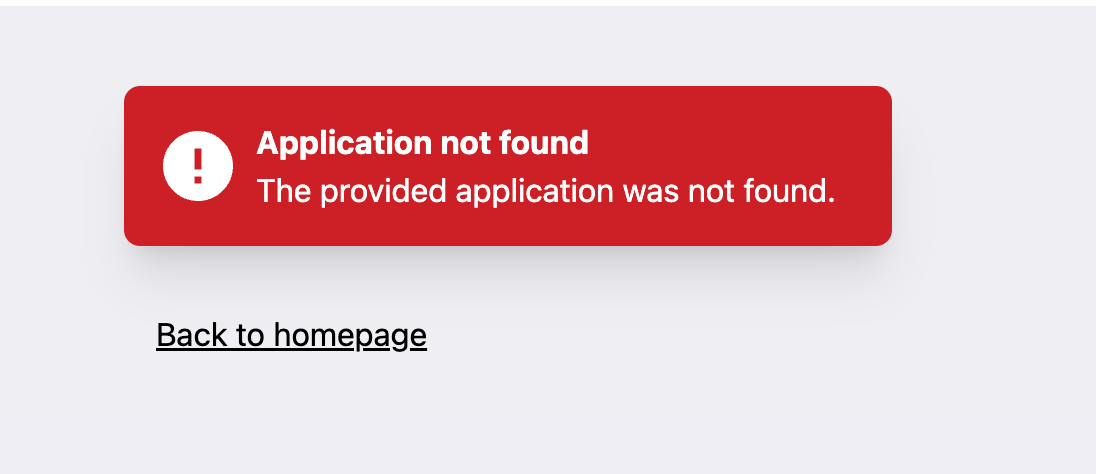
« Application not found. The provided application was not found. »
I have the same problem. Have you found a solution?
Since this is a similar scenario—after reinstalling, the importer’s authentication no longer works—could the reason be that the Mobilizon instance uses the same domain but new keys generated during the reinstallation?
I surely can but I just would like to explore the problem before so I can implement a solution for all users. Did you put your server offline ? I can’t reach the instance.
At least, I had a similar problem where I couldn’t follow a Mobilizon group on Mastodon. The reason was that the Mobilizon instance’s domain had been changed, and apparently it’s important to reinstall the Mobilizon instance, otherwise the keys won’t match anymore.
I guess the app was just not in your instance’s database anymore.
Unfortunately I can’t find a reliable way to check if the app is registered on an mobilizon instance, so I can’t develop a feature to repair an app registration. I can’t neither give a user the power to remove the app because other users may use the same app on the same instance.
Nevertheless I removed your domain in the app database and connect myself to your instance to recreate the app in your instance. You should be able to connect now. If you want I can also restore your automations (with history and already imported events) after you connect to your account.