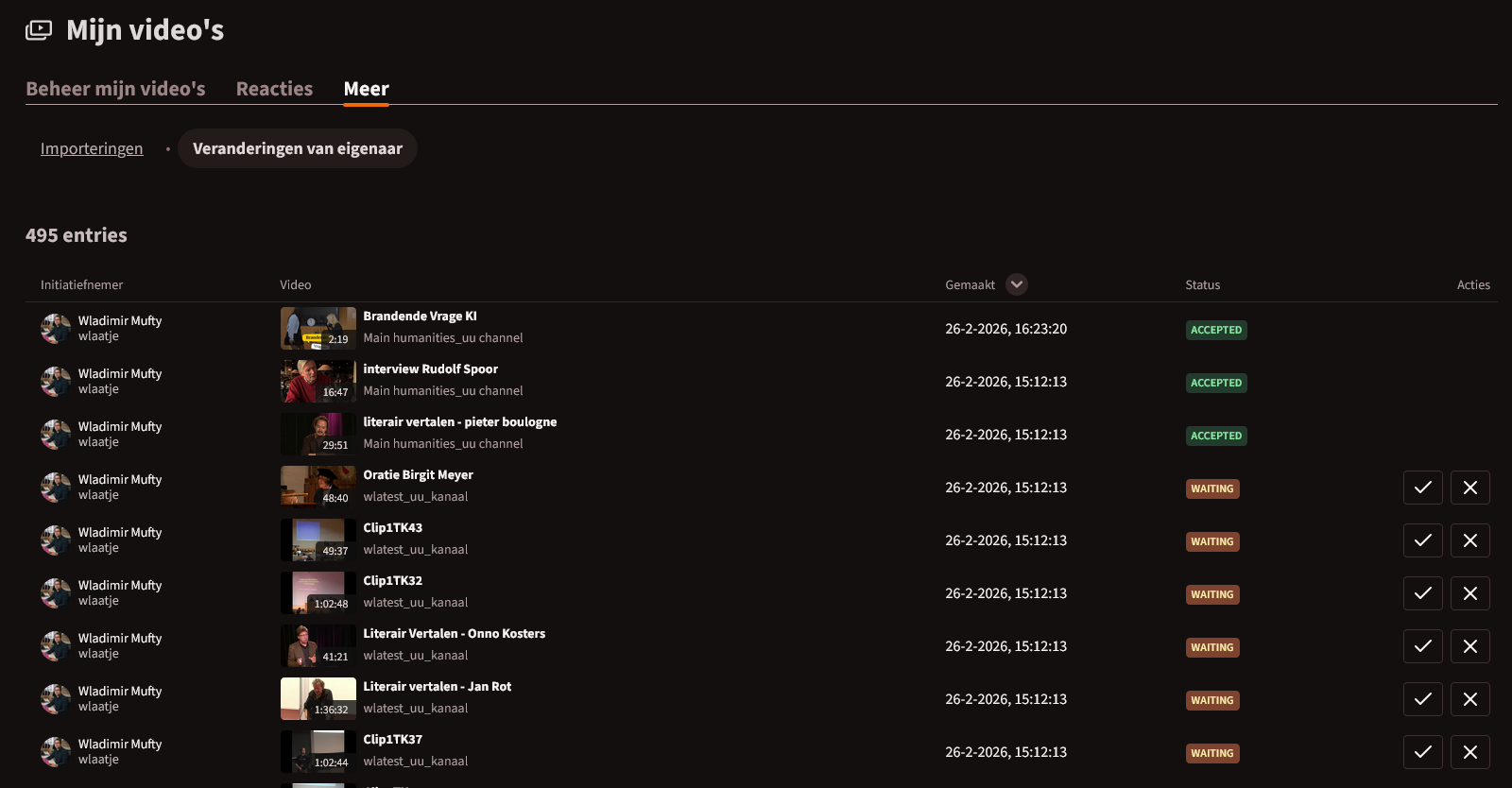
Is it currently possible within PeerTube, as a user, to change the following two things in bulk in a single action?
Using checkboxes (including a “select all” option), to perform a bulk action such as “accept all selected” at:
https://peertubedomain.com/my-library/ownership
I believe this is important if we want to lower the barriers for transitioning to PeerTube, or when using it within companies to transfer videos to a corporate account or a colleague.
A second similar request, which can sometimes take hours when dealing with hundreds of videos… is:
The ability to change the visibility type in one single action within PeerTube. For example, changing videos from “unlisted” to “public.” A possible location for this would be:
https://peertubedomain.com/my-library/videos
All visibility options except “password protected” (so public, unlisted, private, internal) should/could be available without interaction such as providing a password. Currently, I sometimes have to go through hundreds of videos one by one to change them from public to unlisted or vice versa.
+1, especially for the “ability to change the visibility type.”
Yesterday, I had to manually change around 100 videos from public to private because channel synchronization ignores the setting in:
Configuration → General Configuration → Default Video Privacy
The fact that this setting is ignored during synchronization could likely be considered a bug.
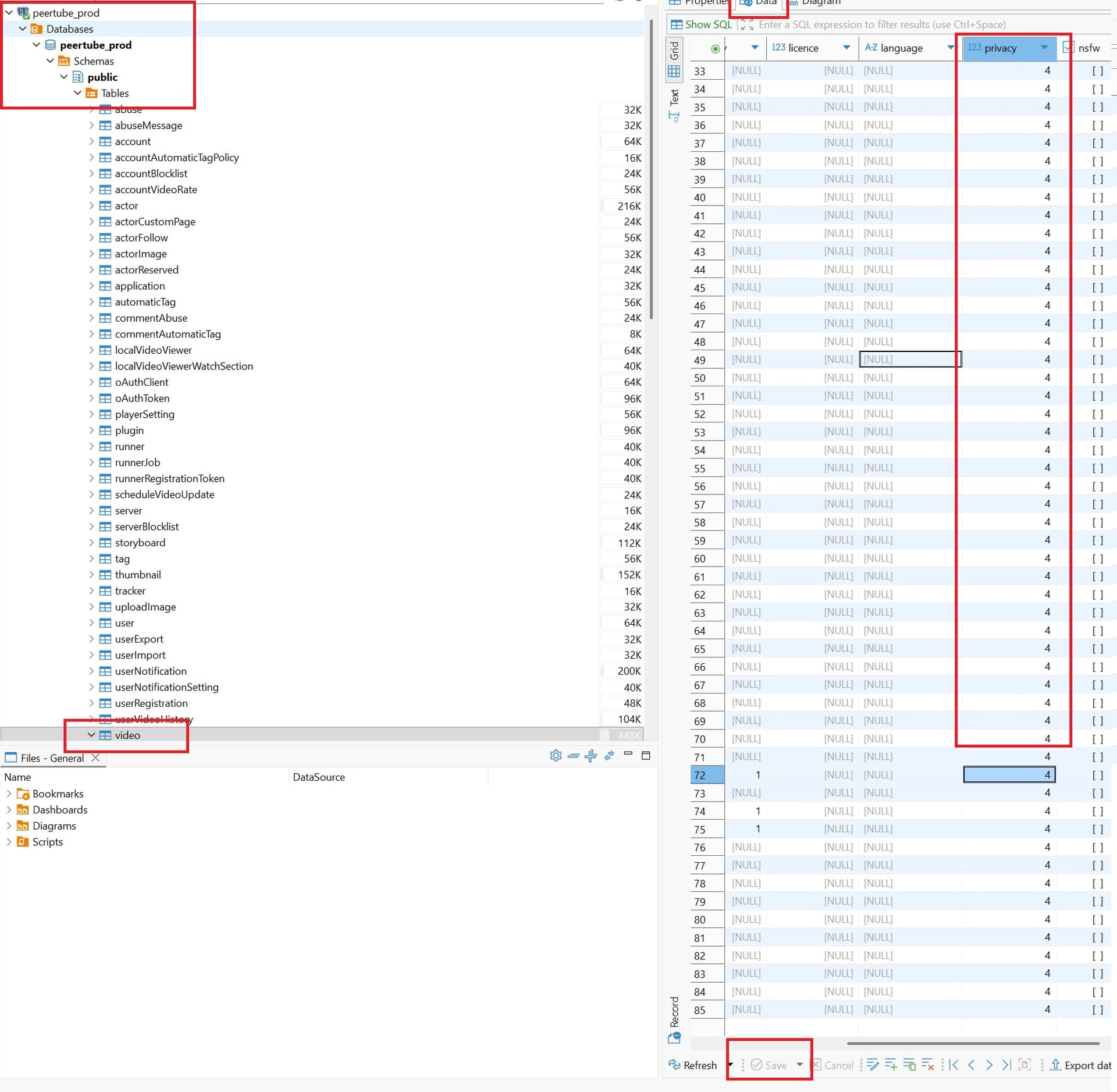
@Wlaatje “sometimes take hours when dealing with hundreds of videos” - temporary fix is use sql sw to update (DBeaver or another client) - configuration took 10min (once), then you start saving your time:
- remove comment and update listen_addresses in /var/lib/pgsql/data/postgresql.conf:
listen_addresses = '*'
- update /var/lib/pgsql/data/pg_hba.conf (update source ip from your pc and last column based on type of password in db - it will be same as for 127.0.0.1 there):
host all all 1.2.3.4/32 scram-sha-256
- allow firewall (based on firewall sw, use chatgpt if not using firewall-cmd, update source ip)
firewall-cmd --zone=public --add-rich-rule='rule family="ipv4" source address="1.2.3.4" port port="5432" protocol="tcp" accept' --permanent
- apply firewall settings
firewall-cmd --reload
- Add connection (ip/name/password) to Dbeaver and update privacy column per your need (dont forget click save on bottom)
PS: you can try even accept it in database  dont forget backup or shapshot if something go wrong !
There are no mass changes now, I made more than 1000 videos manually