Hello,
What is the development status for using custom CSS?
I would like to remove the search section from the homepage and change the order of the elements in the navigation bar.
Best regards
Hello,
What is the development status for using custom CSS?
I would like to remove the search section from the homepage and change the order of the elements in the navigation bar.
Best regards
Am I the only one who wants to customize the design, or is this forum not the right place to ask?
It surprises me too - it seems like the only thing one can tweak on the landing page is the short_description (short ilne, no HTML), contact information (also short text, no HTML), external link, favicon and logo. I do have an idea to make my sites a bit more unique, but so far it’s not a priority.
It is possible to fork the project and edit things, but a custom “landing page” and custom CSS ought to be configurable IMO.
There is no straightforward way to tweak the home page.
However Mobilizon provides hooks to add custom elements to any page.
On Keskonfai, this is how I added this block in the footer :
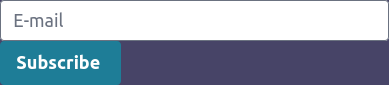
Using this code:
<script defer>
function waitForElm(selector) {
    return new Promise(resolve => {
        if (document.querySelector(selector)) {
            return resolve(document.querySelector(selector));
        }
        const observer = new MutationObserver(mutations => {
            if (document.querySelector(selector)) {
                observer.disconnect();
                resolve(document.querySelector(selector));
            }
        });
        observer.observe(document.body, {
            childList: true,
            subtree: true
        });
    });
}
waitForElm('footer ul').then((elm) => {
    const li_entry_newsletter = document.createElement("li");
    li_entry_newsletter.innerHTML = `<form method="post" target="_blank" action="https://mailing.zoocoop.com/subscription/form" class="listmonk-form">
      <div>
        <input type="hidden" name="nonce">
        <input id="edf21" name="l" checked="" value="edf21f36-ae1b-4a23-ad83-d1d0f19bea6c" type="hidden">
        <input type="email" name="email" class="o-input input" required placeholder="E-mail">
        <input type="submit" class="o-btn btn" value="Subscribe ">
      </div>
    </form>`;
    elm.appendChild(li_entry_newsletter);
});
</script>
and this config:
config :mobilizon, :html_hooks,
  app_index_html_head_first: File.read!("/opt/mobilizon/html_hooks/head_first.html"),
  app_index_html_head_last:  File.read!("/opt/mobilizon/html_hooks/head_last.html"),
  app_index_html_body_first: File.read!("/opt/mobilizon/html_hooks/body_first.html"),
  app_index_html_body_last:  File.read!("/opt/mobilizon/html_hooks/body_last.html")
Note that config (and thus files) are loaded at startup. So if you want to change the content, you must restart the service (not the DB).
Thanks @setop for your reply.
So it is possible to customize the existing CSS:
config :mobilizon, :html_hooks,
  app_index_html_head_last: """
  <link rel="stylesheet" href="/css/custom.css">
  """