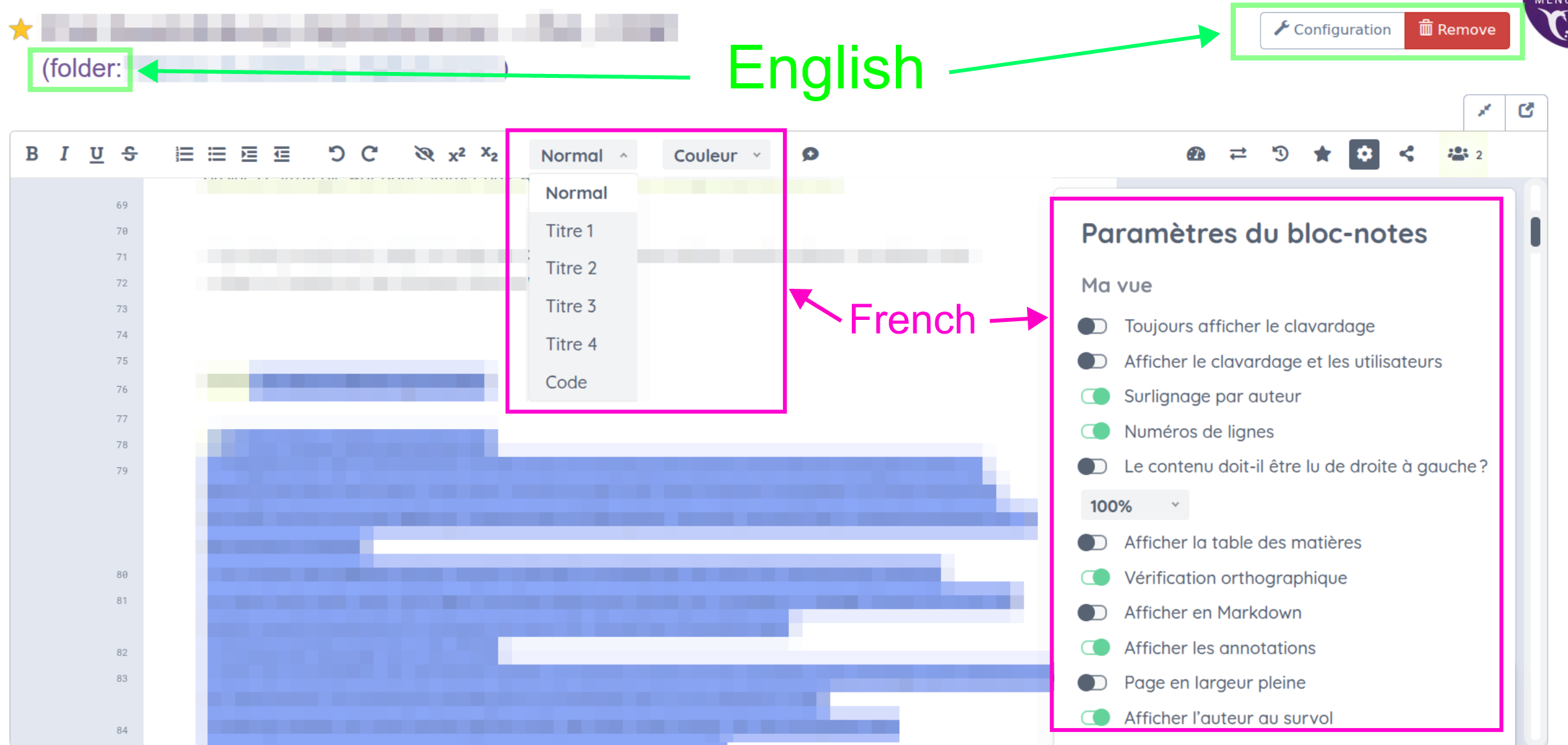
After the update to Framapad in the last couple of days, the pad’s UI is only available in French, ignoring the language setting in MyPads.
This leads to a mixed-language UI, where the MyPads elements are in the configured language, and the pad controls are in French.
There is apparantly nothing to be done about this on a user’s end.
It would be gread to have the old behaviour back, where the MyPads language setting affects all UI controls.
Depuis la mise à jour de Framapad effectuée ces derniers jours, l’interface utilisateur du pad n’est disponible qu’en français, sans tenir compte du paramètre de langue défini dans MyPads.
Cela entraîne un mélange de langues dans l’interface utilisateur : les éléments de MyPads s’affichent dans la langue configurée, tandis que les commandes du pad sont en français.
Il semble qu’il n’y ait rien à faire de ce côté-là pour l’utilisateur.
Ce serait formidable de retrouver l’ancien comportement, où le paramètre de langue de MyPads s’appliquait à toutes les commandes de l’interface utilisateur.
Traduit avec DeepL.com (version gratuite)
Hello,
The language settings in MyPads and Etherpad have never been linked and are totally independants.
Indeed, we recently changed the default language in Etherpad to french (as our audience is mainly french-speaking) during the last upgrade to match the settings of our other Etherpad’s instances.
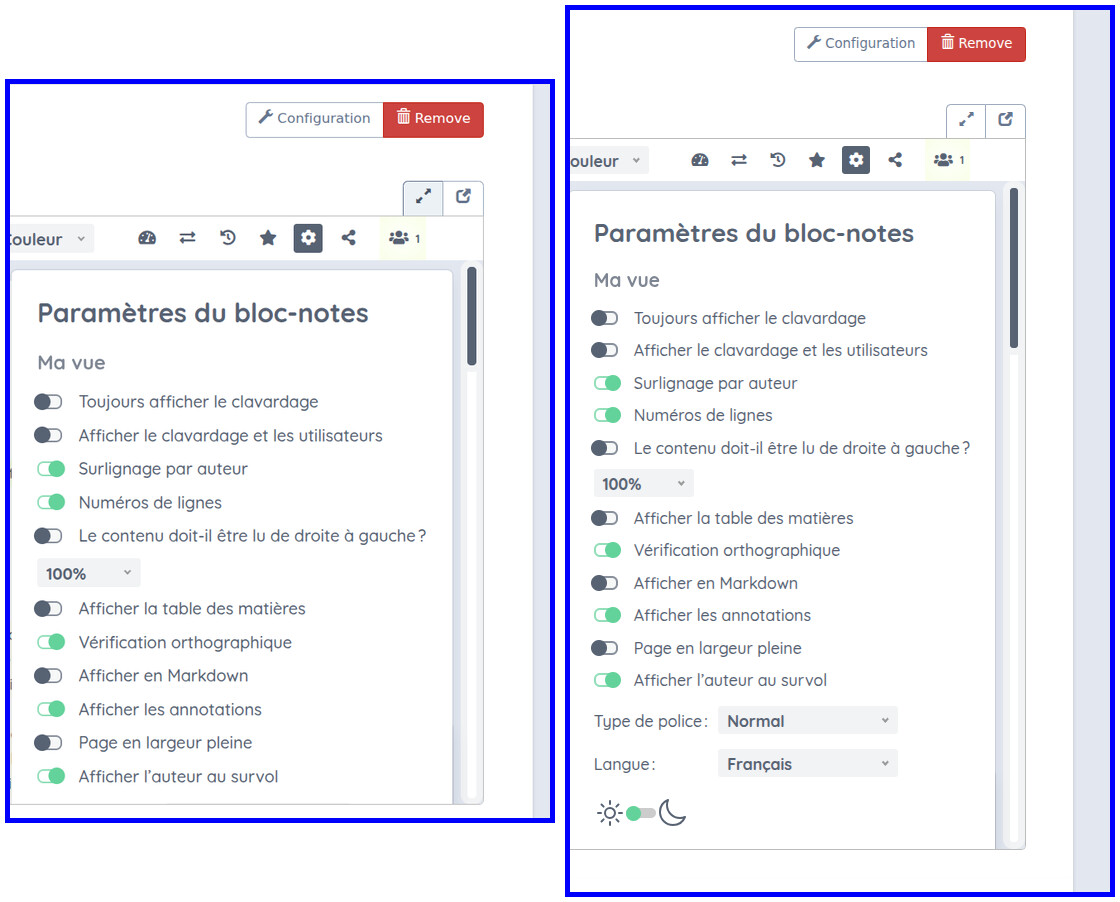
You can change the Etherpad language in the pad settings (at the bottom of the settings list).
Ah! I was under the impression a single setting would suffice. Thanks for the hint.
On my machine, the setting was obscured, and since the settings list would not scroll, I had no idea it was there. Zooming out revealed it.
Thanks again!
Sorry for the english. Think there is a etherpad ¿plugin? that switch pad to user lang. realy when I open my pad fists is in english, next go to spanish and later to french ina fraction of second, so seems browser lang detection is overrided by french in a final step.
Thanks in advance for this great farm!