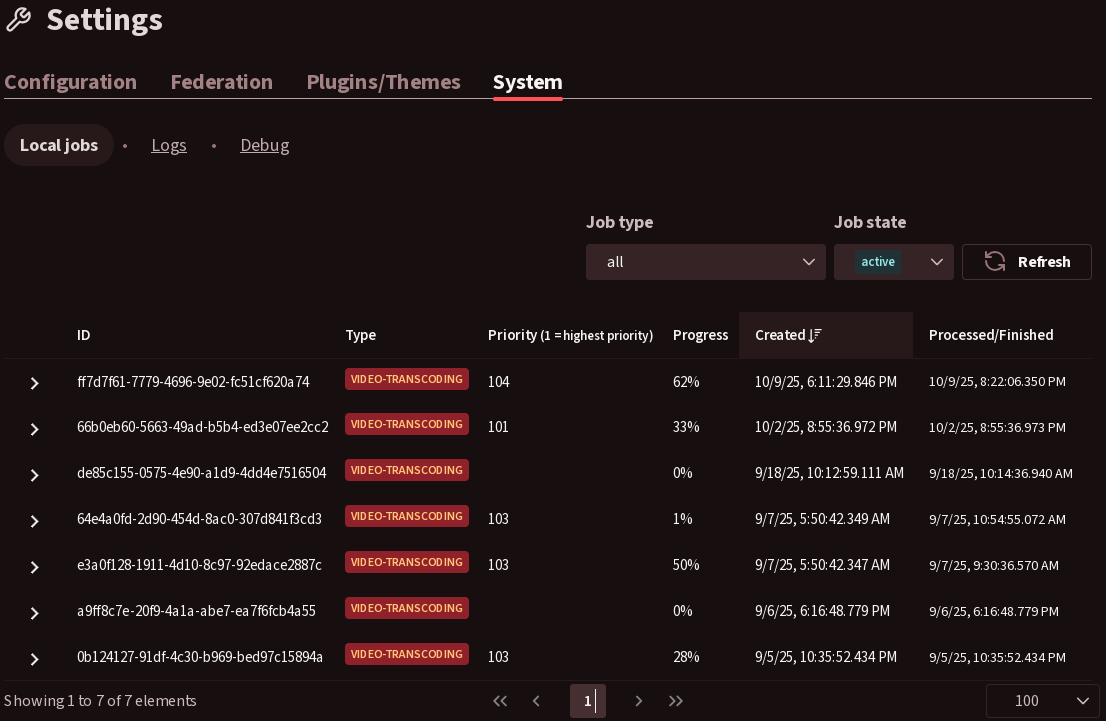
I have been running an instance using docker compose and I have the issue of old transcoding jobs that have obviously failed (no progress has been made in over 5 months and the videos are deleted), but are still marked as active. This has probably happened due to me shutting down the PC while a transcoding job was active. Here is a screenshot of the jobs tab:
They aren’t consuming any resources as far as I can tell, but the visual clutter is annoying, so I want to delete them. Is there a way to do this graphically or do I have to go into the docker shell?
(Transcoding is the only thing that I have seen it happen with as of yet, but I wouldn’t think that it’s exclusive to it.)
I had a similar problem: I logged into the server and deleted manually the fil that was not processing (i downloaded it first and then uploaded it again later via Peertube as a new file).
I use a program called: WinSCP that alows for a kind op FTP type access to the server and viewing - deleting - downloading etc files directly from the server like it is a DRIVE.