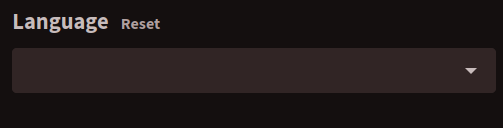
How can I make the default language filter be “Display all languages”?
For a long time I thought that it was something wrong with the search setup, because I couldn’t find videos on my instance, nor with local search or global search. Then I found out that the reason was that the default language filter is set like this (null?) when I’m logged in. When I’m not, the default is “Display all languages”.
Can you open the web network developer tool, refresh PeerTube, and paste the output of /api/v1/users/me endpoint? I’m interested in the videoLanguages endpoint.
Do you also have errors in your web browser console when you go in “Browse videos” page?
Can you open the web network developer tool, refresh PeerTube, and paste the output of /api/v1/users/me endpoint? I’m interested in the videoLanguages endpoint.
{ « videoLanguages »: [ « _unknown », « da », « en », « no », « nb », « nn », « se », « sv » ] }
Do you also have errors in your web browser console when you go in “Browse videos” page?